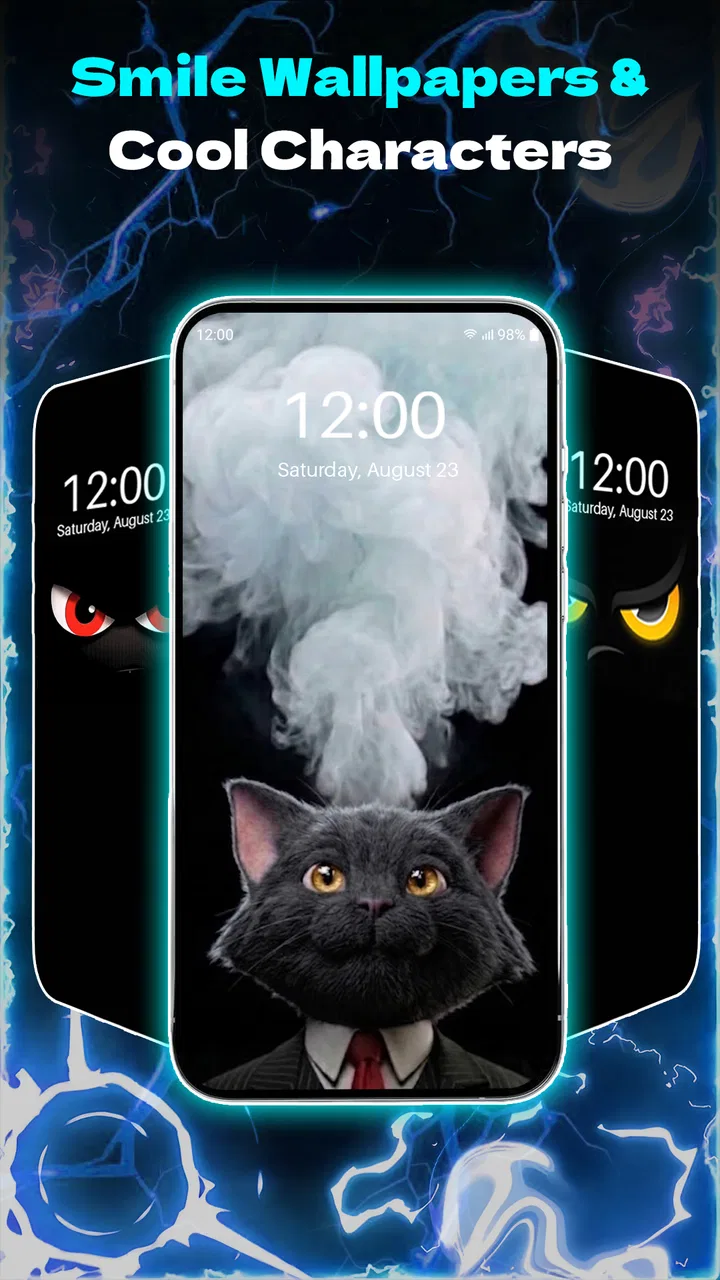
Funny Smile Live Wallpaper
- 4.4
- Rating
- 10.00M
- Installs
- Free
- Price

 Analysis by App-foxy
I enjoy personalization apps most when they change the feel of a phone without making the setup process feel like a project. Funny Smile Live Wallpaper takes that simple idea in a very specific direction: it puts playful smiling faces on the screen rather than trying to imitate a scenic photograph, a minimalist design, or a full theme package. After spending time with it, I see the appeal immediately. It is a small visual change, but it can make an otherwise ordinary phone feel more cheerful every time I unlock it.
Funny Smile Live Wallpaper is a free personalization app from Klukas Kplay for Android users. It is suitable for everyone, works from Android 7.0 onward, and its current version is 26.0.0. The app has reached over ten million installs and holds a 4.4 average from around twenty-two thousand ratings, which suggests that the basic concept has found a sizeable audience. It also includes optional purchases ranging from $1.99 to $19.99 per item, so I would approach it as a free starting point with possible extras rather than assuming every visual option is included.
What the smile-focused design feels like in daily use
The main strength is its immediate personality. Many wallpaper apps ask me to browse through huge collections of landscapes, abstract patterns, celebrities, or animated effects. This one has a narrower identity. The funny faces are the point, and that focus makes the app easier to understand before I even begin customizing the phone.
You May Also Like

 Blood Strike: 2.5 Anniversary
Blood Strike’s Loadouts Turn Every Drop Into a Tactical Gamble
A close look at Blood Strike’s custom loadouts: how fast access to signature weapons reshapes its battle royale rhythm, rewards preparation, and narrows the gap between fights.

 Pandora - Music & Podcasts
Pandora’s Music Is Easy to Start, but Harder to Recover
Pandora’s strength is its low-effort path from a seed to a station. Its weak spot is how much confidence it asks you to place in connection, setup, and quiet recovery.

 8 Ball Pool
 Is Built on Rivalries, Rematches, and Routine
A close look at the rivalries, rematches, shared routines, and unanswered safety questions that turn a quick pool match into a persistent mobile community.

 Samsung Music
’s Quiet Strength Is Playing What You Already Own
Its reach comes less from spectacle than from dependable access to a personal library. That simplicity is both the app’s strongest retention engine and its ceiling.

 AccuWeather: Weather Radar
AccuWeather Review: A Quick, Clear Forecast for Everyday Decisions
For everyday plans, the best forecast is the one you can understand quickly. AccuWeather makes rain timing, radar, and local conditions easy to act on, with a few trade-offs.

 Hill Climb Racing
Why Hill Climb Racing Still Turns Crashes Into One More Run
A tiny car, a bumpy hill and one more upgrade: Hill Climb Racing keeps resurfacing because its simple chaos makes every near-miss feel personal.
More From Our News Desk



I can imagine using it on a secondary device, a family phone, or a handset that feels too formal and impersonal. It also suits anyone who prefers a lighthearted lock screen instead of a polished, serious-looking background. The design is especially fitting for users who like expressive emojis, playful stickers, or colorful accessories. If my taste leans toward dark gradients, architectural photography, or carefully matched home-screen icons, I would probably find the style too narrow.
The live-wallpaper format matters here. A static smile image would be simpler and potentially less distracting, while a live background can make the screen feel more active. The trade-off is that moving or animated wallpaper is not always ideal behind app icons. A busy face pattern can compete with text, widgets, and notification badges, particularly on a smaller display. I found that the best result comes from treating the wallpaper as a background accent rather than trying to make it the star of every screen.
Why this is different from ordinary wallpaper collections
Compared with the usual wallpaper alternatives, the app is less about finding one beautiful picture and more about choosing a mood. A photography app gives me variety and realism. A launcher theme usually changes icons, fonts, and other parts of the interface. A static wallpaper is often easier on battery and less likely to interfere visually with widgets. This app sits between those choices: it adds character to the screen while keeping the rest of the phone mostly unchanged.
That limited scope is both its advantage and its weakness. I do not have to redesign my entire phone to make it feel different, but I also should not expect a complete personalization suite. Someone looking for icon packs, system-wide colors, lock-screen tools, or a coordinated launcher experience would be better served by a broader customization product.
One practical use case stood out to me. Imagine checking a phone repeatedly during a stressful workday. A deliberately silly background can act as a tiny visual reset each time the screen wakes. It will not solve the stressful part, of course, but it can make the device feel less sterile. For a child-friendly tablet or a shared household phone, the same approach can make the interface more approachable without requiring a complicated theme installation.
Setting it up without losing control of the screen
My advice is to begin with the least dramatic option available rather than immediately choosing the most animated or crowded look. First, I would check how clearly the faces sit behind the home-screen icons. If app names become difficult to read, the wallpaper is doing too much. I would also check the lock screen separately, because a design that looks fun behind a few widgets may feel cluttered behind notifications and shortcuts.
Another useful habit is to take a quick screenshot of the current wallpaper before applying a new one. That makes it easy to restore the previous appearance if the result is not right. It is a small step, but it avoids the common frustration of trying to remember which background was previously in use.
I would also test the wallpaper for a full day instead of judging it after the first minute. Bright faces can look amusing during setup and become visually tiring after repeated unlocks. The reverse can happen too: a design that seems understated in the preview may provide just enough color once it is seen in normal lighting. This kind of trial is more useful than choosing solely from a thumbnail.
What I would watch when using a live background
Live wallpapers can affect the overall feel of a device differently from still images. On an older phone, I would pay attention to whether transitions remain smooth and whether the background makes the home screen feel slower. The minimum operating system is Android 7.0, but compatibility alone does not guarantee that every device will handle an animated visual in exactly the same way. Screen size, manufacturer software, and the phone’s age can all change the experience.
I would also compare the live version with a static alternative if the phone is already struggling with battery life. I cannot treat a moving wallpaper as automatically wasteful, but it is reasonable to be more cautious than with a single still image. If battery endurance is my top priority, a static background is the safer category. If mood and movement matter more, the live format is the reason to try this app in the first place.
Notifications are another overlooked detail. A wallpaper with expressive faces can make notification icons feel less prominent, which some people may enjoy and others may dislike. I prefer to keep the most readable arrangement possible: fewer widgets, a clear area for icons, and enough contrast between the faces and the text. That arrangement makes the app feel intentional instead of noisy.
Trust, choices, and the moments that deserve attention
When I install a personalization app, I think about trust differently from when I install a calculator or a note-taking tool. A wallpaper app should remain a narrow part of my phone experience. I want to know what I am changing, what I am paying for, and whether I can easily return to my previous setup. The visible facts around this app give me a useful starting point: it is free to install, rated for everyone, and has optional in-app purchases rather than requiring an upfront payment.
The free entry point is helpful because I can judge the visual style before spending anything. I would not purchase an extra simply because the preview looks attractive. I would first apply the available wallpaper, check how it behaves on both the home and lock screens, and decide whether the change is still enjoyable after regular use. That order protects me from paying for a look that seemed more appealing in a store image than on my actual phone.
The purchase range is broad enough that I would read each item carefully before confirming. A low-cost option and a higher-cost option should not be treated as interchangeable, and I would want to understand whether a purchase unlocks one design or a wider set of choices. This is not a criticism of the app by itself; it is simply the sensible way to handle optional purchases in any customization product.
For privacy-minded users, the important moments are the ones Android shows during installation and use. I would read every permission prompt instead of approving everything automatically. A wallpaper app should be judged by the access it visibly requests, not by assumptions about what an app in this category must do. If a prompt appears unrelated to setting or displaying a wallpaper, I would pause and decide whether the benefit is worth that access.
I would use the same caution with any account or purchase screen. If the app offers a choice to continue without creating an account, that is the route I would prefer for a simple wallpaper. If it asks me to sign in before I can try the basic experience, I would consider whether I want that extra commitment for a cosmetic change. The key point is to keep the decision visible: know whether I am applying a background, accepting a permission, or starting a paid transaction.
How much agency the user really has
The strongest form of control is reversibility. Before installing, I would note how to change the wallpaper through Android’s own wallpaper settings. That gives me a fallback if I dislike the result, if the app stops behaving as expected, or if I simply want a calmer screen later. I would not want my phone’s appearance to depend entirely on one app remaining installed.
I would also check the system’s battery and app-management screens after using the wallpaper for a while. These built-in controls help me see whether the app is active in a way I am comfortable with. I am not claiming a particular battery effect or data practice beyond what is visibly presented by the device and app. My point is that Android gives users useful places to review activity, and I would use them rather than relying on guesswork.
There is a similar choice around purchases. Because the app is free, I can keep the basic experience without paying. If I decide to buy an item, I would use the platform’s purchase confirmation carefully and avoid treating an accidental tap as part of the setup process. Anyone sharing a phone with children should be especially deliberate here, since playful visuals can make a purchase screen feel like another customization step.
The everyone age rating makes the app approachable for a broad audience, but it does not remove the need for adult supervision around payments on a shared device. I would configure the device’s purchase protections separately, particularly on a family tablet. The wallpaper itself may be harmless and cheerful, while the payment controls still deserve normal attention.
Who should try it, and who should skip it
I would recommend this app to someone who wants a quick visual lift, enjoys humorous faces, and does not need a complete launcher replacement. It is also a reasonable choice for a person who wants to experiment with live wallpapers without committing to a larger customization ecosystem. The free installation makes that experiment easy, provided the user is comfortable reviewing optional purchases and system prompts.
I would skip it if I need a quiet, distraction-free home screen. Users who rely on dense calendars, task widgets, navigation shortcuts, or accessibility-focused layouts may find expressive animated imagery gets in the way. I would also choose a static wallpaper instead if maximum simplicity, predictable battery behavior, or a very clean lock screen matters more than personality.
It is not the right choice for someone expecting an all-in-one theme engine. The app’s appeal comes from its smile-centered visual treatment, not from changing every part of Android. A broader launcher or theme tool would be a better match for someone who wants matching icons, menus, fonts, and system colors. In contrast, this app makes sense when the desired change is small, visible, and playful.
My practical routine for getting the best result
I would use a three-step routine. First, apply the least busy design and check icon readability. Second, leave it active through normal routines such as checking messages, opening the camera, and viewing notifications. Third, revisit the purchase and permission choices only after deciding that the basic wallpaper genuinely improves the phone.
I would avoid placing important widgets over the most expressive part of the image. If the faces have eyes or strong shapes, covering them with a clock can make the composition look accidental. Moving the clock or weather widget to a quieter area can make the same wallpaper feel much more polished without changing the wallpaper itself.
For a work phone, I might use it only on the home screen and keep the lock screen restrained. For a personal phone, I would be more open to using it in both places. This split approach is useful because it preserves a professional first impression while still giving the device some personality when I am using it privately.
Final view after weighing the charm against the limits
Funny Smile Live Wallpaper succeeds because it does not pretend to be something broader than a cheerful visual customization tool. The smile-based concept is easy to understand, the free starting point lowers the risk of trying it, and the large install base shows that the idea has attracted plenty of interest. Klukas Kplay has made a focused product for people who want their phone to feel more playful with very little effort.
My reservations are equally straightforward. A live background can become distracting, may not suit every phone or layout, and cannot replace a full personalization system. Optional purchases mean I would inspect each item before paying, while permissions, account prompts, and device activity should be handled through visible Android controls rather than automatic approval. Those are manageable issues, but they matter because a wallpaper should remain a choice I can easily undo.
My cautious verdict is positive for the right audience. If you like funny faces and want a low-commitment way to make your screen more expressive, I think it is worth trying the free version first. Give it a full day, check readability and battery comfort, and keep the system’s wallpaper and purchase controls in mind. If you prefer calm visuals, strict minimalism, or a complete theme overhaul, I would choose a static wallpaper or a broader launcher instead. For everyone in between, this app offers a simple, good-natured change that can make an everyday phone feel noticeably less ordinary.
FAQs for Funny Smile Live Wallpaper
01What features does Funny Smile Live Wallpaper offer?
Funny Smile Live Wallpaper provides a delightful array of animated backgrounds featuring charming smiley faces that react to your touch and phone movements. Users can customize the speed, size, and frequency of the animations. The app also includes a variety of themes to suit different moods and preferences, making your screen lively and entertaining.
02Is Funny Smile Live Wallpaper compatible with all devices?
The app is designed to work on most Android devices running version 4.1 and up. However, performance may vary depending on your device's hardware specifications. It's recommended to check your device compatibility on the app's download page before installation to ensure optimal functionality and experience.
03Does Funny Smile Live Wallpaper consume a lot of battery?
Like most live wallpapers, Funny Smile Live Wallpaper uses more battery than static images due to its animations. However, it is optimized for efficiency, allowing you to adjust animation settings to balance visual appeal with battery life. Reducing animation speed or frequency can significantly minimize battery consumption.
04Are there any in-app purchases or ads in Funny Smile Live Wallpaper?
The app offers a free version with basic features and some ads. There is also a premium version available as an in-app purchase, which removes ads and unlocks additional customization options and themes. This provides a more enjoyable and uninterrupted user experience.
05How do I install and set up Funny Smile Live Wallpaper?
To install Funny Smile Live Wallpaper, download it from the Google Play Store and follow the prompts. Once installed, go to your phone's display settings, select 'Wallpapers,' and choose 'Live Wallpapers.' Find Funny Smile Live Wallpaper in the list, and tap 'Set Wallpaper.' Customize settings as desired for a personalized touch.
Pros
- Vibrant and colorful animations.
- Customizable smiley faces.
- Low battery consumption.
- Smooth performance on most devices.
- Works offline without issues.
Cons
- Limited free customization options.
- Ads can be slightly intrusive.
- May slow down older devices.
- Occasional crashes on some models.
- Not compatible with all Android versions.

Funny Smile Live Wallpaper
Gallery